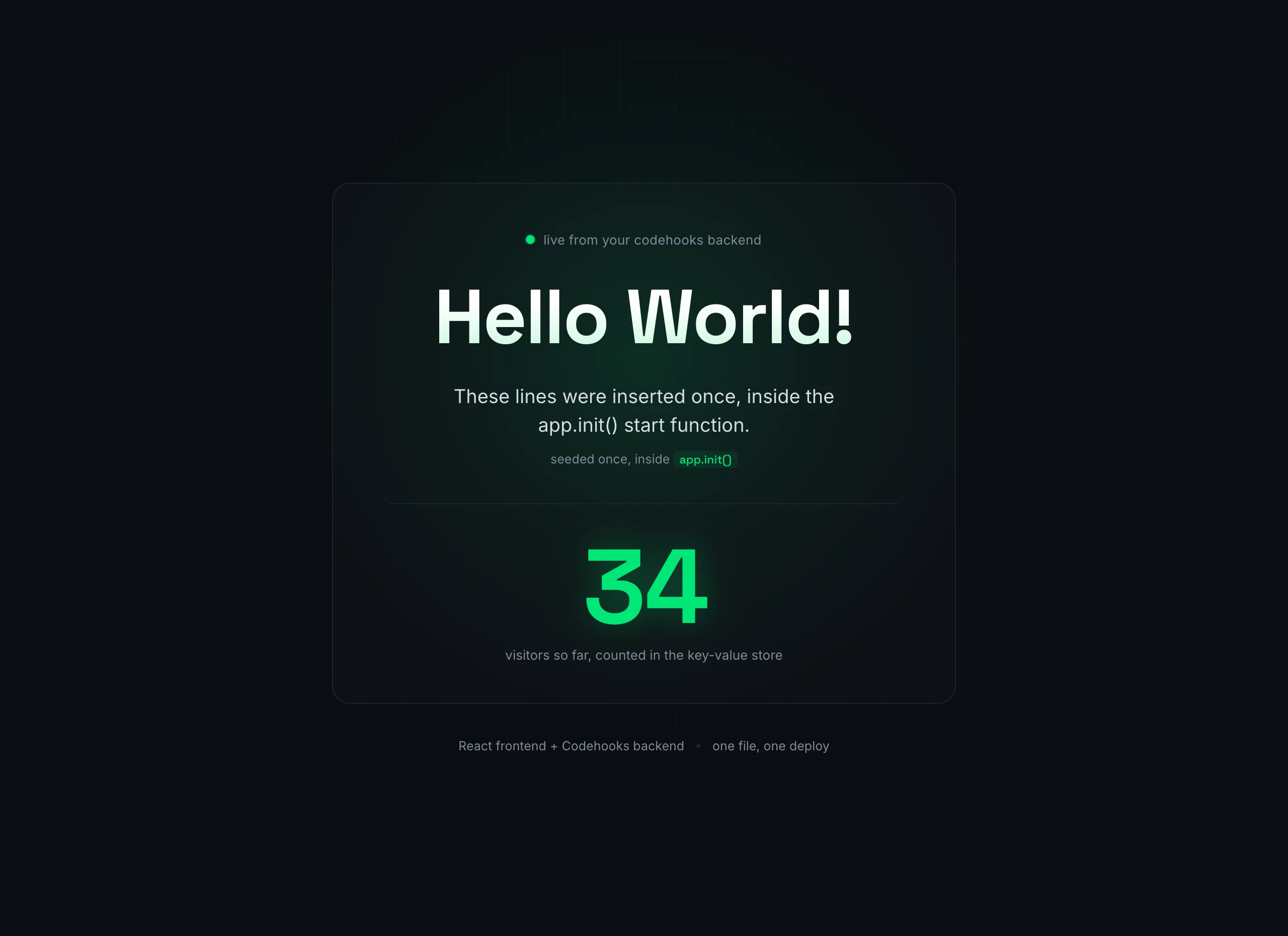
The finished app. The greeting, the rotating message and the counter are all live from the backend.
What the demo actually does
A React app that stores anything needs a backend, and that usually means standing up a server, a database and a way to connect them before the first line of feature code. For a demo or a side project, that setup is most of the work.
This example skips it. The React frontend talks to a few API routes, the routes read and write a database that comes with the project, and the whole thing (frontend and API together) goes live with one command.
The live app shows three things, and each one maps to a small piece of backend code you can read below.
The whole backend is one file
Three routes, a start function that seeds the database, and a line to serve the React build. The database and the key-value store are part of the project, so there is nothing to connect before the first request.
- Backend (index.js)
- Frontend (App.jsx)
- Deploy
import { app, Datastore } from 'codehooks-js';

const SEED_MESSAGES = [
  'Deployed to the cloud in about five seconds.',
  'The whole app is one file and one command.',
  'The database came with the project, so there is no connection string.',
];

// Routes need an API token by default, so open up GET for the browser.
app.auth('/api/*', (req, res, next) =>
  req.method === 'GET' ? next() : next('read only')
);

// The greeting, plus an atomic visitor count from the key-value store.
app.get('/api/hello', async (req, res) => {
  const db = await Datastore.open();
  const visitors = await db.incr('visitors', 1);
  res.json({ message: 'Hello World!', visitors });
});

// The rotating list, in the order it was seeded.
app.get('/api/messages', async (req, res) => {
  const db = await Datastore.open();
  const rows = await db.getMany('hellomessages', {}, { sort: { order: 1 } }).toArray();
  res.json(rows.map((row) => row.text));
});

// Serve the built React app from the same deploy.
app.static({ route: '/', directory: '/dist', default: 'index.html', notFound: '/index.html' });

// The start function runs once on boot. Seed the messages if the collection is empty.
export default app.init(async () => {
  const db = await Datastore.open();
  const existing = await db.getMany('hellomessages', {}).toArray();
  if (existing.length === 0) {
    for (let order = 0; order < SEED_MESSAGES.length; order++) {
      await db.insertOne('hellomessages', { text: SEED_MESSAGES[order], order });
    }
  }
});
import { useEffect, useState } from 'react';

export default function App() {
  const [hello, setHello] = useState(null);
  const [messages, setMessages] = useState([]);

  useEffect(() => {
    // Same origin in production, so the API path is relative.
    fetch('/api/hello').then((r) => r.json()).then(setHello);
    fetch('/api/messages').then((r) => r.json()).then(setMessages);
  }, []);

  return (
    <main>
      <h1>{hello?.message ?? 'Hello World!'}</h1>
      <p>{messages[0]}</p>
      <strong>{hello?.visitors} visitors</strong>
    </main>
  );
}
npm run build   # build the React app into /dist
coho deploy     # ships the API and the build together, live in about five seconds
Build it by hand, or let an agent write it
You can copy these snippets into a project and deploy as they are. If you work with a coding agent, run coho prompt first (it prints the full codehooks-js reference) and ask the agent to build the backend. It will reach for the same app.init() start function, the key-value counter and app.static() that you see above, because that is how the platform expects the job to be done.
The agent writes and deploys the code from your terminal. It does not design the app for you, so you still decide what the routes and the data should be.
Questions about the example
Common questions about building with Codehooks.
Where do the rotating messages come from?
app.init() takes an optional callback that runs once when the app boots, and this example uses it to insert the messages into a hellomessages collection the first time (it checks the collection is empty first, so a redeploy will not duplicate them). The GET /api/messages route reads them back in order.How does the visitor counter work?
GET /api/hello runs db.incr('visitors', 1) against the key-value store. incr is atomic and returns the new value, so two visitors arriving at the same moment still get counted correctly without a read-then-write race.How does the React app reach the backend?
app.static(), so in production the frontend and the API share one origin and the app can fetch('/api/hello') with a relative path. For local npm run dev, point VITE_API_URL at your deployed URL, since Codehooks sends permissive CORS headers by default.How do I run this myself?
npm install, create a project with coho create, then npm run build and coho deploy (which ships the API and the build together). The quickstart walks through the CLI setup if this is your first project.Where to go next
The guide behind this example, and other apps you can deploy.
A step-by-step walkthrough of a React frontend talking to a Codehooks API.
Frontend hosting, REST APIs, a database and auth in one serverless project.
Lists, detail views, forms and search generated from a schema of your collections.
Create a project, deploy your first endpoint and see the logs in a few minutes.
Deploy your own in minutes
Create a free project, add your React build and a few routes, and deploy the whole thing with one command.